30 AI terms explained in plain English, for business owners

30 AI Concepts Explained in 17 Minutes — watch on YouTube
17 min

In 30 seconds

  • What you buy is almost never the model. It is a wrapper, an app sitting on top of someone else's model, and the ChatGPT app itself is one.
  • Three of the thirty are limits rather than features. The desk fills up, the training data stops at a date, and a confident wrong answer is autocomplete working as designed.
  • Every step up in capability is paid for in tokens. Reasoning costs more than answering, three agents cost more than one, and a looping agent with no cap can burn hundreds of dollars.

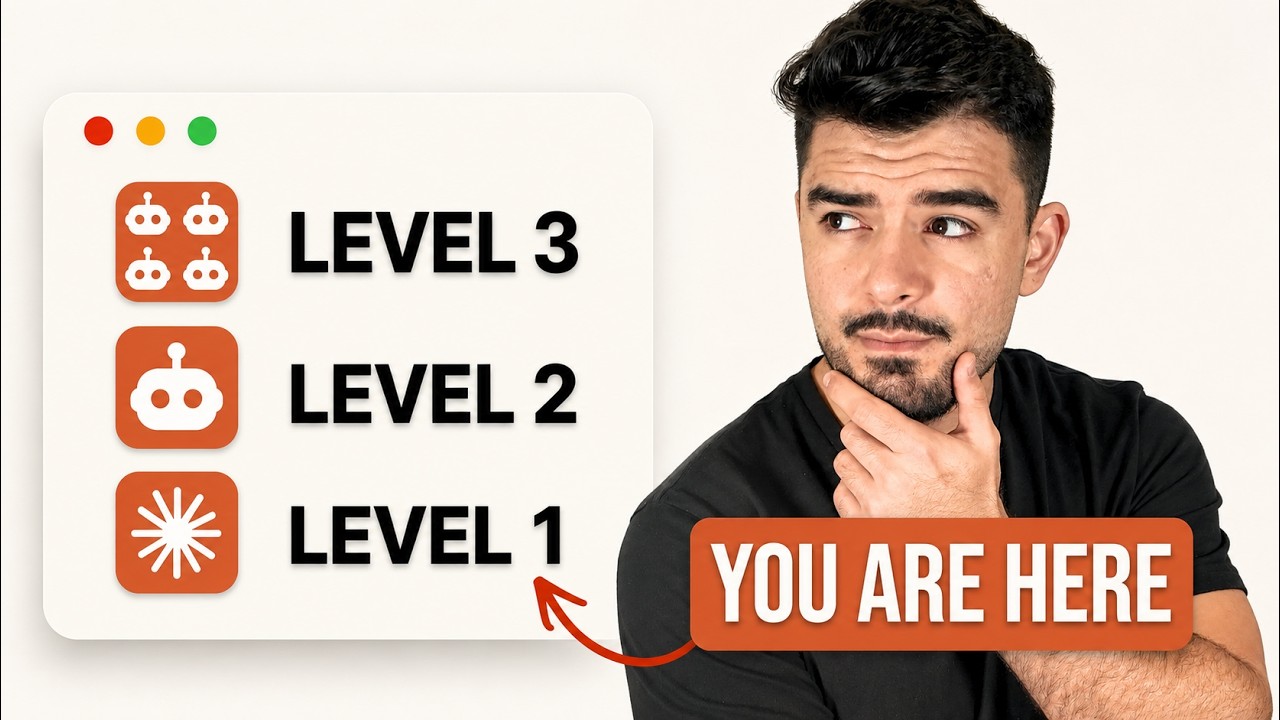
Thirty terms, one mechanic underneath all of them, in three levels. Level one is the model and the limits that ship with it. Level two is the software wrapped around the model. That layer is what you are actually being sold. Level three is the vocabulary of agents, and it is the level that decides whether the thing you buy belongs anywhere near your dispatch board.

Level one: the machine you are renting

1. Large language model

What gets sold to you as AI is almost always a large language model, and a large language model is an extremely sophisticated autocomplete. It predicts the most likely next word to answer whatever you asked. That single mechanic explains everything else on this page, including the parts that go wrong.

2. Prompt

Whatever you send it. A question, an instruction, a request. The model has nothing else to go on, so the answer tracks the prompt. Paste in a tenant’s email and ask for a draft reply, and you have written one.

3. Token

Pieces of words, and the unit everything is measured in. Car is one token. Unbelievable is three. What you send is input tokens, what comes back is output tokens, and a heavier request burns more of both.

4. Model

Each company builds its own version and calls it a model. ChatGPT is OpenAI’s, Claude is Anthropic’s, Gemini is Google’s, all the same thing built by different teams racing each other, which is why it feels like something new lands every other day. Each one ships in sizes. Anthropic has four: Haiku is small, fast and cheap, Sonnet sits in the middle, Opus is more capable and slower, and Fable sits above Opus as the most expensive by a wide margin. Bigger is more capable, slower and dearer. Smaller is faster, cheaper and a lot worse at anything complicated. For any job you hand over, the size it needs matters more than the badge on it.

5. Open and closed models

Closed means you never hold the model. Requests go to the company that made it and answers come back. Open means anyone can download it, run it on their own machine and modify it for free. Meta’s Llama is open. Open buys control and privacy. Closed is more powerful and more polished, and as of 2026 it is what the average person actually uses.

6. Parameters and training

Inside a model are billions of tiny dials. Each dial is a parameter, and one dial on its own means nothing, but together they hold how words relate and how ideas connect. Training is the trial and error that settles every dial into the position that predicts language well. More dials hold more patterns, and that is all “a bigger model” means.

7. Multimodal

Beyond text. Send a photo of a cracked flat roof or a compressor nameplate and the model describes what it sees, usually pretty accurately. That is what puts a field tech’s camera into the workflow instead of an inbox. Multimodal is the word for it.

8. Context window

Think of a desk, measured in tokens. Your prompt, the chat so far, the files you dropped in, every reply it already gave, all of it has to fit on there. Fill the desk and two things happen. The oldest material falls off the edge, which is why a long chat forgets what you told it at the start, and the answers get worse the fuller it gets. Start a new chat and you get a clean context window.

9. Context compression

Most models now summarise the conversation up to a point and carry the summary forward instead of the whole thing, which clears desk space so you can keep going. A summary is smaller than the thing it summarises, so you continue with less detail than you had.

10. Knowledge cutoff

It learned from a giant pile of text up to a date, then froze. Ask about last week and it has no idea, which is why newer models search the web to bridge the gap. Anything that happened in your business after that date has to be handed to it.

11. Hallucination

Confident, convincing and completely wrong. Ask ChatGPT how many R’s are in strawberry and it answers two. Lying would require knowing better, and it does not know better, because it predicts plausible words with none of the logic you would use to check them. Strawberry is harmless. A made-up clause in a lease summary that reads perfectly is the same hallucination with your money behind it.

Level two: the software wrapped around it

12. System prompt

A second prompt you never see, running behind whatever app you are in. It tells the model whether it is a coding assistant or a customer service bot, what it is allowed to help with, and what to refuse. On its own the model has no idea who it is supposed to be. Write instructions into a custom GPT and you have written a small system prompt.

13. Memory

During a conversation the app quietly writes down anything that mattered and keeps it after the chat ends. Next time, before it replies, it flips through the notebook and pulls the important bits back onto the desk. That is how it knows where you work or that you are vegetarian, and in some apps you see a memory updated note when it saves something. The notebook is memory.

14. Reasoning

Early models blurted out the first answer that came to mind. Newer ones write their thinking down step by step first, so each step becomes part of what they can see and the next step has something to stand on. By the time it answers it is standing on a chain of work it already did. The trade is time and tokens, and on anything genuinely hard reasoning earns it.

15. API

How one piece of software talks to another. One program sends a request, the other does the work and sends back a response. Your CRM has an API, your field service software has one, and that is the plumbing a model reaches them through.

16. Wrapper

An app sitting on top of someone else’s model, reaching it through that API. The ChatGPT app is a wrapper. Perplexity is a wrapper. Cursor is the argument everyone has, and technically it still is one. Own name, own logo, own interface, engine built by someone else. A huge number of AI startups are wrappers, and the value they add on top gets thinner every time the models improve.

17. Tool

Left alone, a model answers questions and writes things. It cannot look something up online or send an email. A tool is anything you allow it to use to get a real task done, reached through an API. Send the email. Book the slot. Pull the invoice.

18. AI agent

Reasoning plus tools. A chatbot answers you. An agent takes a goal and works the steps on its own until the job is done. Almost everyone who thinks they have used AI has used the chatbot.

Level three: what changes once it can act

19. Agentic loop

How an agent actually runs. Look at the goal, pick the next step, take it with a tool, check what happened, go again until done. The search comes back empty so it tries a different one. Something fails so it adjusts and goes at it again. Same shape as reasoning, except each pass changes something outside the chat.

20. RAG

Out of the box the model knows nothing about your business, your documents or your data. RAG, retrieval augmented generation, fixes that by letting it look things up in your files first and answer from what it found. An open book exam instead of a closed one. It is how an agent knows your warranty terms and your escalation policy, and when the policy changes you edit the document rather than retrain anything.

21. Vector database

Where those documents sit so they can be searched by meaning instead of by keyword. A library organised so automobile lands next to car and nowhere near banana. A tenant writes “no heat” and you want the furnace pages back, not every document containing the word no. Vector databases are what make that work.

22. Embeddings

The numbers underneath the meaning. Text goes in, a string of numbers comes out, and similar meanings end up with similar numbers. Your question gets turned into numbers too, and the database hands back the closest ones.

23. Skill

Step-by-step know-how for one kind of task, packaged once. Without it the agent works out how to do the job from scratch every time. With it, it follows proven steps and holds the same quality. If you want every service report filled out the same way, package the steps once as a skill and stop re-explaining them in the prompt.

24. MCP

Every app has its own API, its own configuration and its own way in, and wiring an agent to each of them separately becomes a hassle at scale. MCP is the USB-C of the agentic world. One standard doorway in front of every app’s API, so the agent learns one way in rather than a new one per tool. The API is still there underneath.

25. Guardrails

With a chatbot the worst case is that it says something dumb. With an agent the worst case is an email to the wrong client, money moved to the wrong place, files deleted. Guardrails are the limits and rules you put around it. They block off-limit requests, check for private data leaving, and cap token spend before a looping agent burns hundreds of dollars.

26. Prompt injection

The biggest external security hole, and it comes straight from how agents work. An agent has to read the outside world, and it cannot reliably tell instructions from you apart from words it is only supposed to be reading. An attacker hides a command inside a document or a web page the agent has been sent to read, and the agent treats that hidden command as an order from you.

27. AI workflow

An agent picks its own steps, which is powerful and unpredictable. Ask it the same task three times and it might take three different paths. You run a company on SOPs, and for repetitive work you want the SOP followed every time. That is an AI workflow. Nobody wants a creative approach to the accounting.

28. Multi-agent system

Ask one agent for a full competitor analysis and it does the research, the pricing, the charts and the writing inside a single context window, and quality drops as the desk fills. Split the job instead. One agent researches, one does pricing, one does the visuals, each with its own context window and its own instance. The output is better and the bill is bigger.

29. Orchestrator

Someone has to run the other agents, and that someone is another agent. The orchestrator breaks the goal down, schedules and delegates, hands out context, then checks and merges the work as it comes back. OpenClaw and Hermes agents are orchestrators.

30. Autonomy

Everything above still waits for a human to start it. An autonomous agent starts itself, either on a schedule or on a trigger. OpenClaw calls its version a heartbeat. The agent wakes itself up, checks your files, inbox and database for anything that changed, does what you told it to do about it, and loops back round.

What to ask before you buy one

When someone pitches you an agent for after-hours dispatch or lease renewals, start with the guardrails. What is it not allowed to do, and what happens when it tries? Then ask what it can reach, meaning which of your documents it retrieves and which tools it is wired to. A vague answer to the first question means you are buying a chatbot that can send email.


Full transcript

Expand

In this video, I'm going to take you through 30 AI concepts you need to understand to be ahead of most people when it comes to understanding AI. In late 2022, when ChatGPT first launched, it was very impressive, but also very simple. Fast forward to today, there's a new AI tool coming out every hour, and new feature, and new model everyone's talking about. And if you're not technical, or if you don't code, it can feel like you're getting left behind. As someone who also doesn't have a technical background, but runs a tech company with technical co-founders, in this video, I'm going to break down the 30 most relevant AI concepts you need to understand in a very digestible and mimetic fashion. I've broken this down to three levels, so let's dive right in.

All right, so what we call AI today is almost always a large language model. This is important because most people imagine AI as this super-intelligent, human-like thing, when in reality, an LLM is just an extremely sophisticated autocomplete. It's a computer program trained on a massive amount of data, and all it's really doing is predicting the most likely next word to respond to whatever you ask. You need to understand this because this is where a lot of challenges and limitations with LLMs come up, which we'll explain further down in the video. What you ask an LLM is called a prompt, whether it's a question, an instruction, or a request.

The better your prompt is, the better the answer is going to be that you're going to get from the LLM. LLMs operate through what we call tokens, and tokens are basically the currency of AI. A token is just a piece of a word. So, a word like car will be one token because it's pretty short, but a word like unbelievable will be three tokens broken down to un-be-lieve-able. Words you send in are input tokens, words it gives back to you are output tokens. The more complex your prompt or request from the LLM is, the more tokens it'll burn. Just like you have different car companies producing different cars, you have different tech companies producing their own version of an LLM. Each version is called a model. ChatGPT is OpenAI's model, Claude is Anthropic's model, Gemini is Google's model. It's the same thing, just built differently by different teams, all racing to outdo each other. That race is exactly why it feels like there's something new happening every other day. Some models are open, and some models are closed. A closed model is one you can only reach through the company that made it, like ChatGPT or Claude. You never get the actual model, you just send requests in, and you get answers back. An open model, like Meta's Llama, is one anyone can download, run on their own computer, and even modify for free. Open models give you more control and privacy. Closed models are more powerful and usually a lot more polished. That's why they're more widely adopted by the average person as of 2026. Now, each of these models usually comes in different sizes.

Take Claude, it comes in four models as of now. Haiku is the small one, it's pretty fast and cheap. Sonnet is the balanced middle-of-the-road model. Opus is very capable and for a long time the most advanced model of Claude's, though it's slower and more expensive than Sonnet or Haiku. And finally, Fable is Claude's most recent model, which sits above Opus as the most powerful model Anthropic offers right now. Some would argue the most powerful AI model on the market, and of course, it's the most expensive of all by a very large margin.

To make it very simple, bigger models are more capable, but they are slower and they cost more. Smaller models are faster and cheaper, but they're a lot less capable when it comes to handling more complex tasks. A bigger model literally has more internal parts working under the hood, and the more internal parts it has, the more patterns it can pick up on, and the more nuanced, complicated stuff it can have. Now, those internal parts are called parameters. Think of the model as a giant brain made up of billions of connections. Each connection is a parameter, basically a tiny dial that can be turned up or down. On its own, one dial means nothing, but together, billions of them store everything the model knows. How words relate, how ideas connect, the pattern hiding inside the language itself. And they get set through training. Through trial and error, these dials settle into the positions that make it really good at predicting language. That's all training really is, just tuning billions of dials by trial and error until the whole thing clicks. The more dials a model has, the more patterns it can hold, which is why bigger models can do more things.

Multimodal, what multimodal essentially means is the AI being capable of going beyond just text. This is how you can send pictures to your LLM and now it can describe what's going on, usually pretty accurately. Now, an AI can only pay attention to so many things at once, and that limit is called its context window.

Think of it as the AI's working memory or like a desk that it's working on. Everything it can see in the moment has to fit on that desk. So, the prompt you just type, the chat so far, any files you put in, any replies it gave out. And that desk's hypothetical space is measured in tokens. Once the desk fills up, two things can happen. The first thing is the oldest stuff starts falling off the edge. This is why in a really long chat, the AI starts forgetting things you told it at the very start.

The second thing is that the output starts getting worse. So, you're usually better off starting a new chat with a new context window. Now, these days most models have the capability of compressing your conversation, which essentially means summarizing all the information you had up to a certain point and making more room for you to continue your conversation with that bit of context that was summarized. Now, an LLM does not have any context of what happened after it was trained. This is what we call a knowledge cutoff.

Remember, it learned everything from a giant pile of text up to a certain date, and then it froze. So, if you ask a model about something that happened last week, it's not going to have any idea. This is why newer LLMs can now search the web to essentially bridge that information gap from the cutoff point to what's happening right now.

Hallucination is when an LLM gives you completely false information, but in a very confident and convincing manner. This is the very famous one that was running around the web a couple months ago. You asked ChatGPT how many R's there are in strawberry, and it would just say two R's. Remember that an LLM, or what we call AI, is just sophisticated autocomplete. It predicts plausible words as an ideal outcome. It doesn't have the same logic you or I have when thinking things through, and sometimes it'll just make something up and say it with total confidence. That is what hallucinating is. That's level one. Now you know what most people know about AI. Let's move on to level two.

System prompts. Back in level one, we said your prompt is whatever you type in. But there's a second prompt that you never see called the system prompt that runs in the background. It's a set of standing instructions that tell the AI how to behave and what rules to follow.

This is why different models can also feel a little bit different. But personality is just a surface really. On its own, the model has no idea of who it's supposed to be in a given app. It doesn't know if it's a coding assistant or a customer service bot, what it's allowed to help with or what it should refuse. It's very capable, but it doesn't have any real instructions.

That's what the system prompt is for. And as a fun fact, every time you build a custom GBT or a cloud code project and you give it instructions, you're writing a mini system prompt. During your conversations, whenever something important comes up, Nullen quietly jots down and saves that information even if the chat ends. So the next time you start a fresh conversation, before the AI even replies, it flips through that notebook and pulls the important bits back onto the desk. This usually happens quietly in the background. That's why a lot of LLMs can remember where you work at or if you're vegetarian or other bits of information about you. And in some apps, you'll even see a memory updated note appear when you ask it to save something or when it saves something [music] in its memory. Reasoning. Early models would just blurt out the first answer that came to mind. Newer ones can actually stop and think first. That's what we call reasoning. But what does thinking actually mean for a prediction machine? Remember that an LLM just predicts the next word based on everything in front of it. So if you force it to answer a hard question instantly, and that's a leap straight to the conclusion in one jump with really nothing to stand on. Reasoning fixes this where a model essentially writes down its thinking step-by-step before giving you the final answer. Every step becomes a part of what it can see. So when it builds out the next step, it's building off the step that it just made.

By the time it reaches an answer, it is literally standing on a chain of work that it already did. The trade-off is reasoning takes more time and costs more tokens. The pros are on more complex tasks, it's very, very powerful. Hey, just an intermission here. If you own a business and you're looking to integrate AI agents into your day-to-day workflow, click the first link in our description and book a free AI opportunity audit with myself and my team. Back to the video. An API is how one software talks to another. An LLM connects to the rest of the world using an API. One program sends a request, the other program does the work and sends back a response.

That's pretty much all you need to know about APIs. Now, a wrapper, side note by the way, if you remember this meme from the early days of YouTube, you're you're a real one. A wrapper is essentially an app that is sitting on top of an LLM.

Essentially an app built on top of an existing AI model using that model's API. Some notable wrappers you might know about is the ChatGPT app. Yes, surprisingly that is a wrapper. Perplexity for search is also a wrapper.

Cursor, this one's a controversial one. A lot of people say it's not a wrapper anymore. It is very nuanced, but technically speaking it is still a wrapper. An app might have its own name, logo, or interface, but under the hood, the engine is actually ChatGPT, Claude, or another LLM via an API. Picture a custom car body with an engine someone else built. A huge number of AI startups are really just wrappers, and this is what it looks like when you break it down. Again, you have their own system prompts, the data, the UI. Some wrappers add real value on top. Many don't anymore, especially as the models start becoming a lot more capable. By itself, an LLM can answer questions and write [music] things, but it can't actually interact with the real world. It can't look something up online or send an email. That's why you have to give it tools. A tool is just something the AI is allowed to use to get a real task done. The way it reaches most of these tools is through an API, the same plumbing we talked about earlier. So now, the LLM can do two separate things.

It can think a problem through with reasoning, and it can take real action with tools. And that brings us to AI agents. I have a nice little picture of Agent Smith here from The Matrix to really take the point home. An AI agent is the product of tools plus reasoning.

The vast majority of people interact with AI via a chatbot, whereas an AI agent, you can hand it a goal, it can work out through the steps and actually take action on its own. So, that now brings us to level three. This level is now all about agents. We've talked about what LLMs are, how they work. We also got to know a little bit more about the nuances. Now, all the concepts we're going to go through relate back to agents in one form or another. Starting with the agentic loop. I couldn't find a better picture to put here, so we have the Spider-Man meme. The agentic loop is how an AI agent operates. The agent looks at the goal, thinks about the next step, takes the step with one of its tools, then checks what actually happened. It basically keeps running through this loop until the job is done.

It's pretty much the same thing as reasoning, except now an action is being taken with the outside world. For example, if you ask it to search something and the search comes back empty, it'll try a different one until it gets the answer. Same thing goes with pretty much anything else. Something fails, it'll adjust and go at it again.

Everything else in this level is pretty much about making that loop a lot more powerful. An engine is smart, but out of the box it knows nothing about your business, your documents, or your data. RAG is how you fix that. It stands for retrieval augmented generation, and you can think of it as kind of an open book exam. But, how it works is instead of forcing the AI to answer from memory, you let it look things up in your documents first, and then answer using what it found. It's how a company builds an AI that actually knows their products, their policies, their files.

Think of it as giving the LLM access to the right information at the right moment. What makes RAG so effective is that it's also very flexible. So, if something regarding your company or data changes, you can just go into the database and change that information.

Which brings us to a vector database. In order for an LLM to effectively retrieve your data, it's usually stored in something called a vector database. It's a special kind of storage built to hold your data and search through it by meaning. Just think of it as a library organized by meaning instead of by the alphabet. So, you have words like automobile and car, they're going to be grouped closer together because they have more of a similar meaning than something completely irrelevant like banana, for example. Now, the agent is able to search by meaning through embeddings. An embedding turns a piece of text into a string of numbers that then captures its meaning. Words and ideas with similar meanings end up with similar numbers. Looking back at the example here with car and automobile.

So, for example, it's going to take car and turn it into a string of numbers like this. When you also ask it a question, it gets turned into numbers, too. And the database just finds the numbers closest to it. That's what lets AI search by meaning instead of keywords, and that's what makes vector databases really powerful. And now, we have skills. If you've ever watched the first Matrix movie, you know that scene where they plug in Neo into the training simulation, and they start uploading martial arts directly into his brain.

That's pretty much how skills work with your LLM. A skill is essentially a step-by-step know-how for one kind of a task. Without skills, an agent will just go at something from scratch, but with skills, it can become a specialized agent. So, it'll follow proven steps and kind of keep up with the same quality every single time. So, for example, if you want your agent to always build slide decks in a certain way or fill out a specific kind of report, instead of just explaining to it every single time through a prompt, you package those instructions once as a skill, and the agent just knows how to do it. Now, MCPs. An agent is only as capable as the tools it can reach. But, every app has its own API, its own configuration, its own way of connecting to it. And all those connections can become a hassle at scale. So, you can think of an MCP as the USB-C in the agentic world. MCP is one standard that sits on top of all those different APIs. So, without MCPs, you have unique connections to all the different tools. With MCPs, connections become very, very simple. The app still has its own API underneath. MCP just puts a standard doorway in front of it.

So, the agent only has to learn one way in instead of a different way for every app. Guardrails. Here's the thing about AI agents. The more they actually do, the more it matters that they do the right things and the right things only.

With a chatbot, the worst case is it says something dumb. The worst case with an agent is a lot worse. Sending emails to the wrong person, moving money to the wrong place, deleting files, these are all very, very costly mistakes. This is why guardrails exist. They're essentially limits and rules you put around an agent so it can't do anything that's going to cause damage. Guardrails can block harmful and off-limit requests. They can check for leaked private data. They're also important for keeping agents in check by capping token usage. Because a looping agent can literally burn hundreds of dollars worth of tokens if you let it in some cases.

Now, prompt injections. This is the biggest external security issue with AI agents. And it comes straight from how agents work. To do its job, an agent has to interact and digest information from the outside world. Sometimes it can't reliably tell instructions from you and words it's just supposed to be reading.

A prompt injection takes advantage of exactly that. An attacker hides a command inside a document or a webpage that the agent's supposed to read. And when your agent reads that page, it can get tricked into treating the hidden command as a direct order and actually executing on it. On to AI workflows. So up to now, our agent decides its own steps. That's fantastic, but it's unpredictable. Ask an agent to do the same task three times and it might take three different paths to get there. And for a lot of repetitive tasks, you don't want that. You want the exact reliable steps every single time. That is an AI workflow. When you run a company, you have SOPs for doing things. And sometimes you want the AI agent to also move according to those SOPs. You don't want your agent to get creative with your accounting, for example. That's exactly the problem the AI workflow solves. Multi-agent systems. Now, picture asking one agent to do a full competitor analysis, and a high-quality one. So it's going to go into research, pricing, tech, charts, writing. It technically can do all those things, but it's trying to hold all of that in one context window at once. And remember, when a context window starts filling up, focus and quality drops. So you end up with with par A multi-agent system solved this problem by splitting the job across different agents. One agent only does research, one only focuses on pricing, and one focuses on the visuals.

Each of those agents now has its own context window and its own instance. The output is usually always better, but the trade-off is obviously costs. For any complex tasks or workflows, a multi-agent system is usually going to have a much better output than a single agent. On to orchestrators. A multi-agent system is great, but someone has to run it. That is the orchestrator.

The orchestrator itself is an agent, but its literal job is to manage all the other agents. This is pretty much what OpenClaw and Hermes agents are. An orchestrator breaks down a goal, schedules and delegates, gives context, and essentially checks and merges the work once everything is done. An orchestrator is the engine underneath a productive multi-agent system. And last but not least, autonomy. This is the best thing I could find. I couldn't really find any other memes to put in here. But essentially, what autonomy means is an agent doing things on its own. So far, everything that we've talked about requires a human to jump start it. An autonomous agent runs on its own, and it usually does it in one of two ways. Either on a schedule, so it does certain things at certain times, or on a trigger. So, something happens, and then it starts working on what it needs to. For example, OpenClaw has something called a heartbeat. It's a workflow where an agent wakes itself up, essentially checks your files, inbox, database, see if anything's changed or any updates have happened, does whatever you've instructed it to do prior, and essentially loops back. So, that is it, guys. Now, you're pretty much more literate than 99% of people when it comes to AI. If you enjoyed this video, hit the like button and subscribe. You can also connect with me and get in touch with me directly through LinkedIn.

And if you're looking to upgrade your business and integrate AI agents into your day-to-day workflow, you can click the link below and book an AI opportunity audit with myself and my team. I'll see you in the next video.

Next in The AI BriefingHow to Build AI Employees for SMBs
Ready to put AI employees to work?
Book a call
256-bit SSL Secured
© 2026 Nairon, Inc. All rights reserved.
PrivacyTerms & ConditionsCookie PolicyAcceptable Use